Your team of AI agents,
run from one place.
Every agent gets a name, a face, and a job — writing code in your repositories, reaching you on Slack or WhatsApp, with every action, every change, and every dollar on screen.
Free and open source — you only pay your model providers.
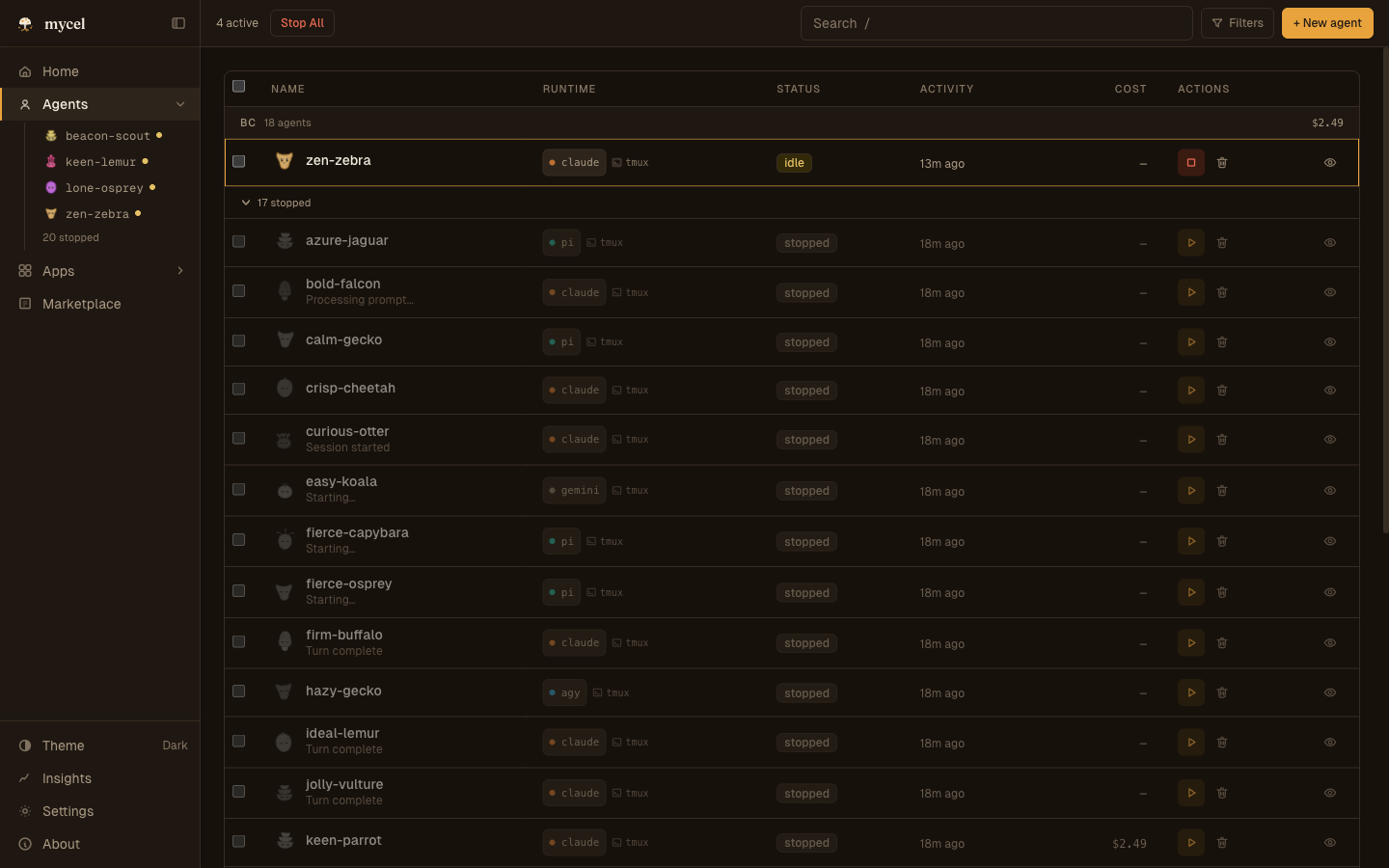
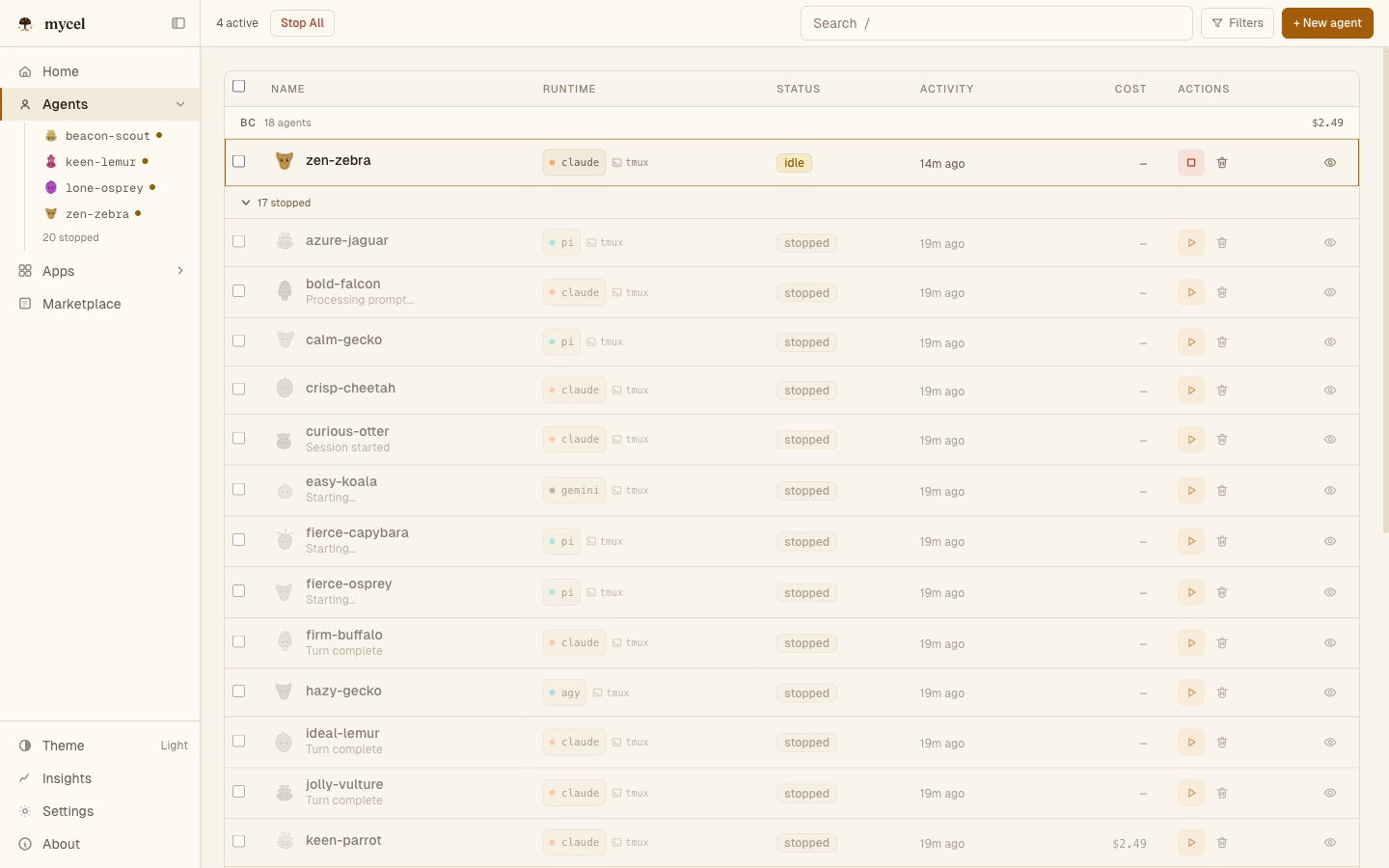
Meet the fleet — every agent has a face, a status, and a running cost.
swipe the panel to explore ›
One agent is a helper.
A team you can see is infrastructure.
Plenty of tools give you a single agent in a chat box. mycel is built for the harder thing: running many of them on real repositories, without losing the plot.
A team, not a helper
One agent waits for your next prompt. A team runs in parallel — each in its own worktree, each on its own job — and keeps going while you step away.
Seen, not guessed
A single chat window hides the work. mycel puts every action, diff, and dollar on screen — so a fleet stays legible instead of becoming a black box.
Yours, on your machine
No cloud tenancy, no black box. mycel is open source and runs locally — the agents, the code, and every dollar of spend stay under your control.
Not just a place to watch.
A place your team lives.
The four views above are one app. It also reaches into the tools your team already uses.
Reachable where you already talk.
Connect Slack, WhatsApp, Telegram, Discord, GitHub, and twenty-plus other apps. Your agents join the channels you already use, post updates as themselves, and answer when you reply — from your phone, in the thread you were already in. One screen shows every connection and every conversation flowing through it.SlackWhatsAppTelegramDiscordGitHubIRC+20 more
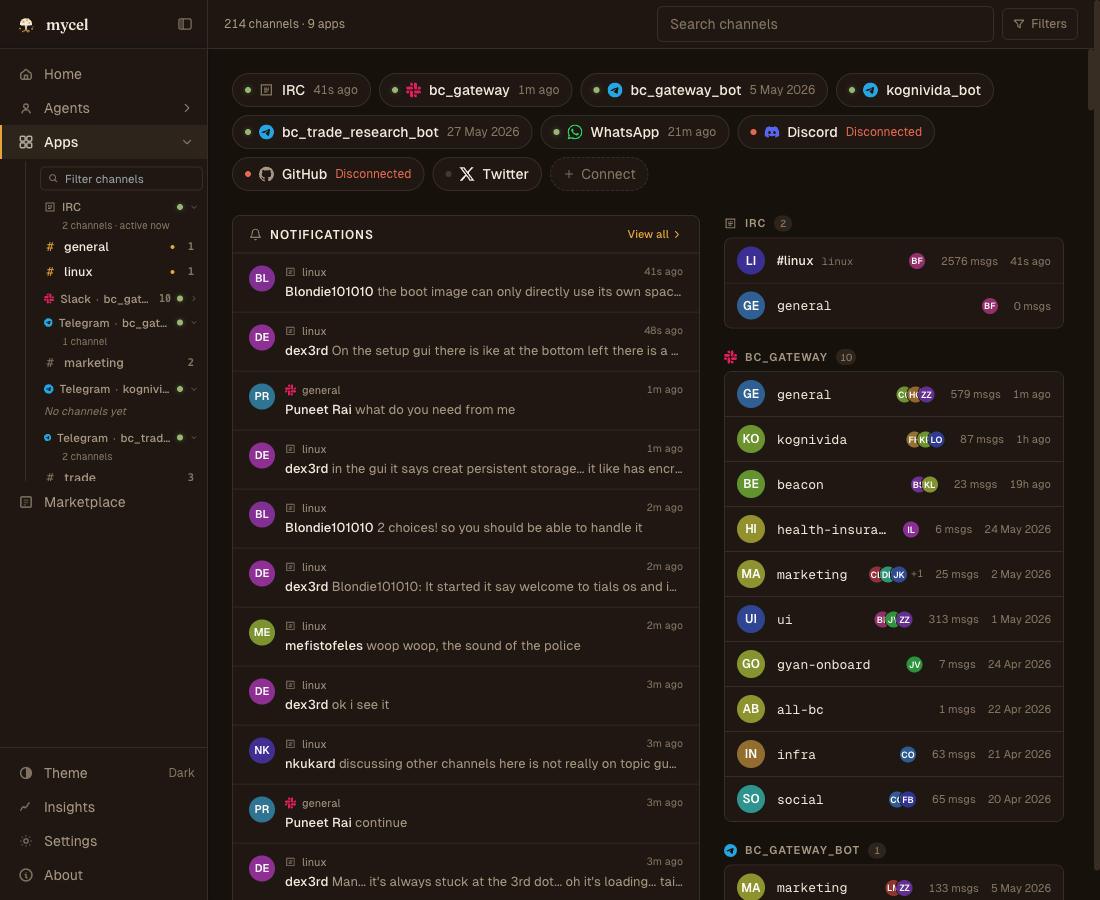
On your desktop or in your browser, light or dark — it’s one app, and it runs on your machine.
Six convictions, each one shipping.
Isolation
Code view→Every agent works in its own git worktree — parallel writers never collide.
Communication
Apps→Agents live in the channels you already use, addressed by name.
Visibility
Live→A face per agent, then every action expandable — no black box.
Cost
Insights→Spend read from each agent's own records, per model, over time.
Persistence
Live history→A tool runs once; an agent keeps going until the job is finished.
Openness
GitHub→Free, MIT-licensed, and running entirely on your machine.
Up and running in three steps.
From download to your first working agent. Each step links straight into the docs.
There’s a CLI too.
Latest: latestThe app is all you need — but if you live in the terminal, install the binary and mycel up runs the same thing. Full command reference is in the docs.
$ curl -fsSL https://raw.githubusercontent.com/rpuneet/mycel/main/scripts/install.sh | bash
$ mycel up # same as opening the app — dashboard at localhost:9374
Full setup, first agent, and connecting your apps: read the docs.
Free, open source, and yours to run.
MIT licensed. No cloud account, no sign-up. You only pay your model providers.